Welcome to the reactive X exercises. Let's checkout the branch exercise/rxjs. You can then edit the index.ts file to do the exercises.
git checkout exercise/rxjs
yarn install
yarn start
In these exercises you will play with some basic rxjs operators to obtain different results starting from 2 different event streams:
The main structure of the exercises should look something like this:
(async () => {
  const guys$ = of('Kilian-san', 'Tomohiro-san', 'Antoine-san');
  const food$ = of('baguette', 'okomiyaki', 'natto', 'funazushi');
  const runExercise1 = () => {
    // Your solution to ex1
  }
  const runExercise2 = () => {
    // Your solution to ex2
  }
  const runExercise3 = () => {
    // Your solution to ex3
  }
  const runExercise4 = () => {
    // Your solution to ex4
  }
})();
We have a naming convention where you can see that all the observables are suffixed with the dollar sign. You can read more about it here if you are interested: https://angular.io/guide/rx-library#naming-conventions-for-observables
If you have some doubts you can check the official documentation at: https://rxjs.dev/guide/operators
And if you want a more visual approach you can check: https://rxmarbles.com/
These sites will help you decide which is the operator you need to obtain the desired output stream.
The goal of the first exercise is to display in the console the following lines:
/*
  Kilian-san can eat baguette
  Kilian-san can eat okomiyaki
  Kilian-san can eat natto
  Kilian-san can eat funazushi
  Tomohiro-san can eat baguette
  Tomohiro-san can eat okomiyaki
  Tomohiro-san can eat natto
  Tomohiro-san can eat funazushi
  Antoine-san can eat baguette
  Antoine-san can eat okomiyaki
  Antoine-san can eat natto
  Antoine-san can eat funazushi
*/
This means for every event on our guys$ stream we need to switch to the second stream of $food, and we need to display all the foods that each guy can eat
Solution
  const runExercise1 = () => {
    const canEat$ = guys$.pipe(
      switchMap((guy) => food$.pipe(map((food) => `${guy} can eat ${food}`)))
    );
    canEat$.subscribe((text) => console.log(text));
  };
Here you have the marble diagram to understand the operator better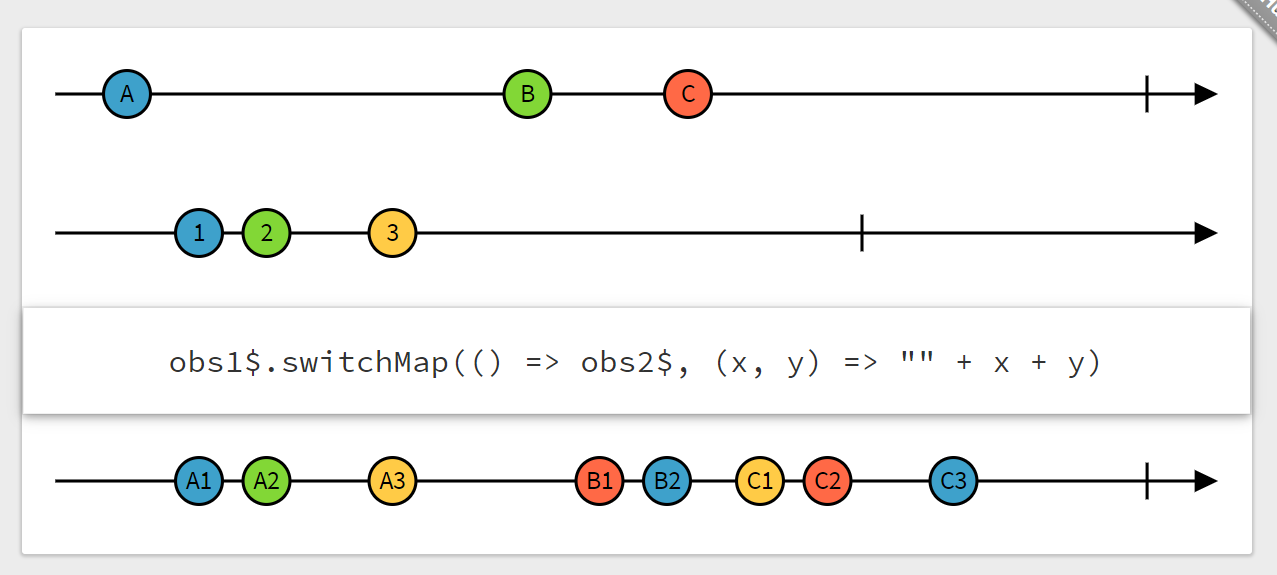
The goal of the second exercise is very similar to the first one, except now we want to only take the first two values of the food$ observable. Think about what operators allow you to do this.
/*
  Kilian-san loves baguette
  Kilian-san loves okomiyaki
  Tomohiro-san loves baguette
  Tomohiro-san loves okomiyaki
  Antoine-san loves baguette
  Antoine-san loves okomiyaki
*/
Solution
  const runExercise2 = () => {
    const canEat$ = guys$.pipe(
      switchMap((guy) => food$.pipe(
        take(2),
        map((food) => `${guy} loves ${food}`)
      ))
    );
    canEat$.subscribe((text) => console.log(text));
  };
Here you have the marble diagram to understand the operator better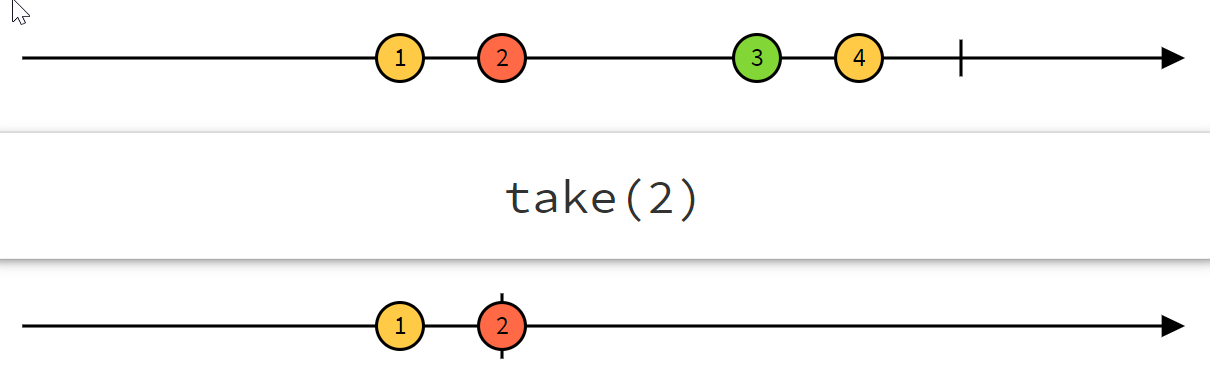
The goal of the third exercise is the opposite of the second one. Here instead of taking the first and second guys and foods, we want to skip them. We only want the last two foods from the last guys. The console should read:
/*
  Antoine-san hates natto
  Antoine-san hates funazushi
*/
Solution
  const runExercise3 = () => {
    const canEat$ = guys$.pipe(
      skip(2),
      switchMap((guy) => food$.pipe(
        skip(2),
        map((food) => `${guy} hates ${food}`)
      ))
    );
    canEat$.subscribe((text) => console.log(text));
  };
Here you have the marble diagram to understand the operator better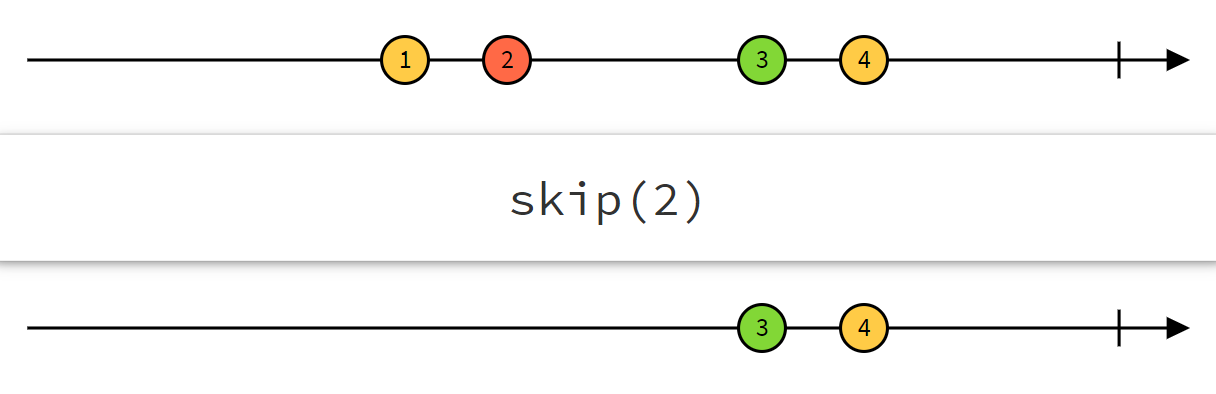
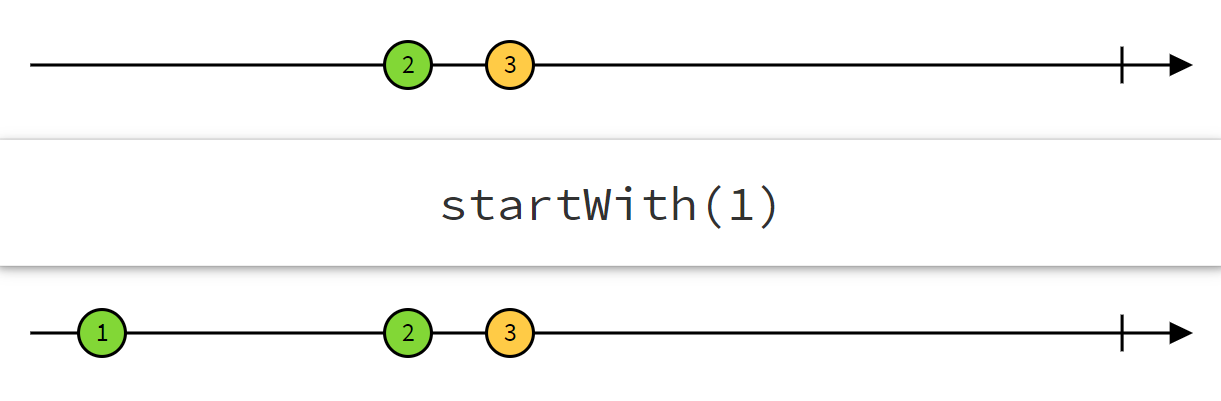
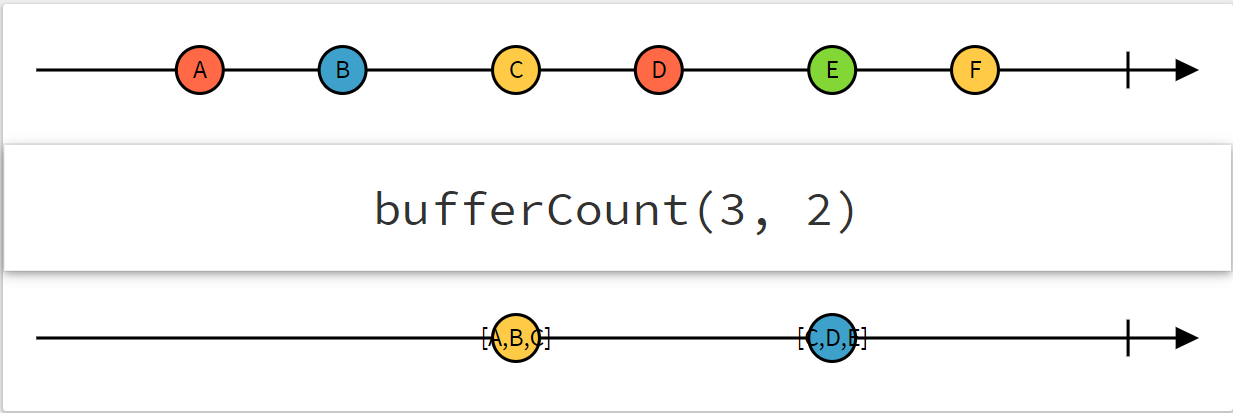
This last exercise is a bit trickier, you have to output a value that is not in guys$. Think about how you can add it to the stream without touching the guys$ declaration. The second tricky part is to print 3 foods in the output. Until now we have displayed them one by one, how could we emit an array of foods instead of just 1 element of my event stream?
/*
  Pierre-san can not find cheap okonomiyaki, natto, funazushi in France
  Antoine-san can not find cheap okonomiyaki, natto, funazushi in France
*/
Solution
 const canEat$ = guys$.pipe(
      skip(2),
      startWith('Pierre-san'),
      switchMap((guy) => food$.pipe(
        skip(1),
        bufferCount(3),
        map((foods) => `${guy} can not find cheap ${foods.join(', ')} in France`)
      ))
    );
 canEat$.subscribe((text) => console.log(text));
Here you have the marble diagrams to understand the operators better